Markdown to HTML
Convert Markdown snippets to raw HTML code.
Markdown to HTML is a free tool that transforms Markdown snippets into raw HTML code.
Why generate HTML from Markdown before a release?
Generating HTML from Markdown lets you inspect the markup that a website, content management system, or documentation pipeline will receive. It is useful when Markdown is convenient for writing but the destination requires HTML.
Common cases include debugging a documentation page, preparing content for a deployment template, and checking Markdown received from a third-party API or repository. The conversion also makes structural problems easier to spot. A heading that becomes a paragraph, for example, may indicate missing whitespace or unsupported Markdown syntax.
Markdown has several dialects. CommonMark, GitHub Flavored Markdown, and individual publishing systems do not interpret every extension the same way. Basic headings, paragraphs, emphasis, links, and lists are broadly understood, while tables, task lists, footnotes, and custom containers depend on the parser.
A practical conversion workflow
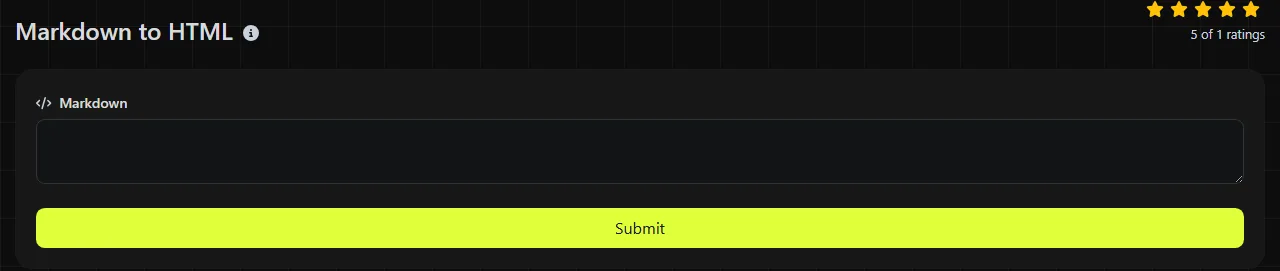
- Paste the source snippet into the Markdown field.
- Review the generated code in the HTML field.
- Check that headings, paragraphs, links, lists, and code blocks have the expected elements.
- Paste the result into a staging page or template and inspect the rendered page before deployment.
The conversion runs on the server. Your input travels to the server over HTTPS and is not stored. Avoid submitting secrets, credentials, private keys, access tokens, or confidential customer data for Markdown conversion.
Keep the original Markdown until the published result has been reviewed. HTML can represent the rendered structure, but it may not retain the exact Markdown choices used by the author.
What can unexpected output tell you?
Unexpected HTML often points to malformed Markdown, a dialect difference, or source content that depends on surrounding lines. Markdown parsers commonly recover from invalid syntax by treating it as ordinary text rather than returning a formal error.
- An unclosed code fence can cause code formatting to extend farther than intended.
- Missing blank lines can combine text that was meant to form separate paragraphs or lists.
- Incorrect indentation can turn text into nested list content or a code block.
- A malformed link destination can leave the original Markdown visible or produce an unusable link.
- A heading marker without the expected spacing may remain plain text under some Markdown rules.
This converter should not be treated as an HTML validator, accessibility checker, or sanitizer. After conversion, inspect the element nesting and link destinations. For production content, validate the resulting document in the context of the full page, since a snippet alone cannot reveal conflicts with templates, scripts, or CSS.
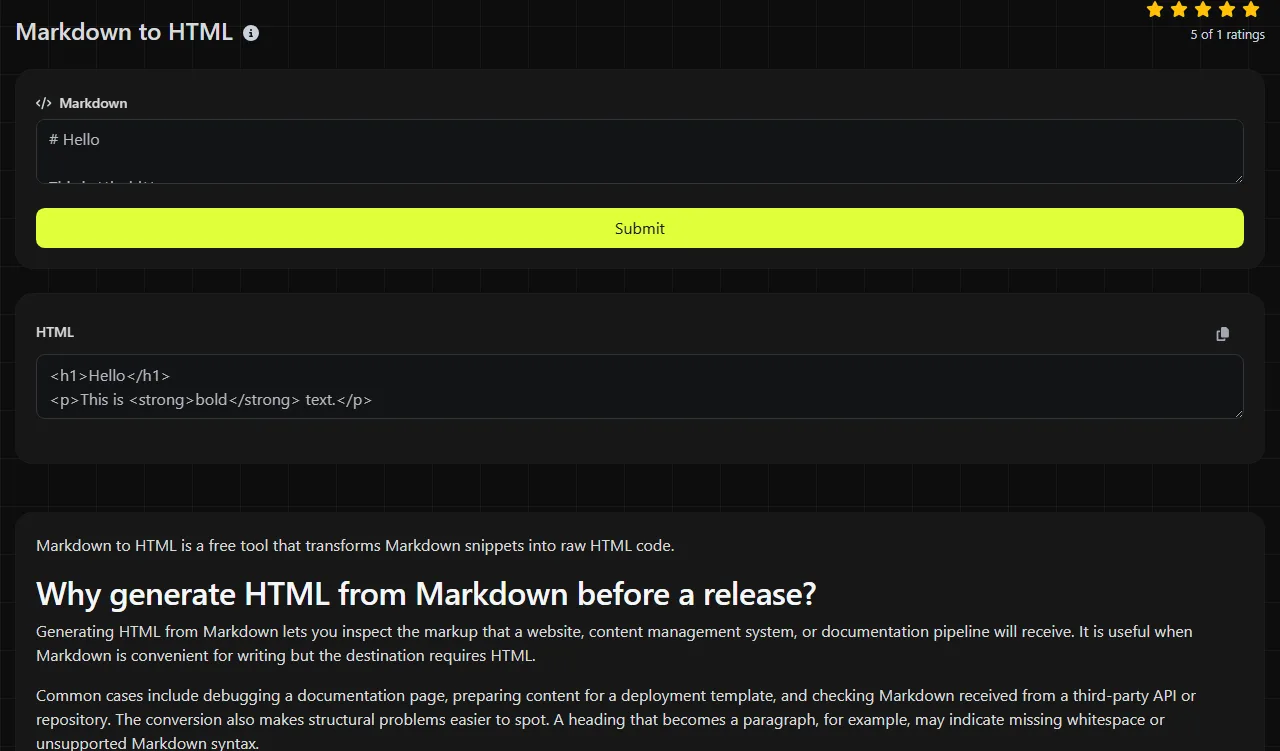
Input: ## Deployment notes
Output: <h2>Deployment notes</h2>
Input: **Status:** Ready for review
Typical output: <p><strong>Status:</strong> Ready for review</p>
Exact wrappers can vary between Markdown implementations, especially for extensions and block-level content. The HTML elements describe meaning and structure. They do not determine fonts, colors, spacing, or responsive layout without CSS.
How do whitespace and unusual characters behave?
Whitespace and unusual characters usually remain part of the content, but Markdown gives some spaces and punctuation structural meaning. Blank lines separate blocks, indentation can create nesting or code, and punctuation such as asterisks, underscores, brackets, and backticks can open formatting constructs.
Accented letters, non-Latin scripts, and numbers can appear in Markdown text and HTML text content. HTML uses Unicode, so conversion does not inherently require replacing readable characters with ASCII equivalents. Reserved HTML characters may need escaping in generated text so that a less-than sign is not mistaken for the start of an element.
An empty input has no meaningful document structure to convert.
When is conversion unnecessary?
Conversion is unnecessary when the destination already accepts the same Markdown dialect and performs its own rendering. In that case, pre-converting can create duplicate work and may bypass platform-specific extensions.
It is also usually not worth converting content that only a Markdown-aware machine process will read. If a build pipeline expects source files so it can generate navigation, references, or syntax highlighting, provide the original Markdown.
After conversion, an HTML minifier can reduce unnecessary whitespace before deployment when file size matters. Minifying an already-minified file generally adds little value and can make debugging less convenient. Prettifying JSON that only a machine will read is unrelated to Markdown conversion and usually does not improve the publishing workflow.
Common questions about Markdown conversion
Can generated HTML be converted back to the original Markdown?
Not reliably. Conversion can discard distinctions such as the original heading style, emphasis markers, list numbering, and whitespace choices. An HTML-to-Markdown converter can create equivalent Markdown, but it may not reproduce the source exactly.
Is Markdown-generated HTML safe to insert into a page?
Do not assume it is safe when the Markdown came from an untrusted source. Depending on the Markdown implementation and configuration, embedded HTML or unsafe URL schemes may require sanitization. Apply an HTML sanitizer and an allowlist that match the destination before inserting user-controlled output.
Can relative links remain relative after conversion?
Yes, Markdown links can point to relative paths, and the resulting HTML link can retain that relative destination. The browser resolves it against the URL of the page containing the HTML, so test links from their actual publishing location rather than from an unrelated preview page.
Why might ordered-list numbers look different in the browser?
HTML commonly represents an ordered list with list elements rather than preserving every typed number as visible text. The browser calculates the displayed sequence, although HTML attributes can change the starting value or an individual item value. Check lists that intentionally skip numbers or resume from a previous section.
Can I use the generated markup in an HTML email?
The structural HTML may provide a starting point, but email clients support a narrower and less consistent set of HTML and CSS than modern browsers. Email layouts often need inline styles, table-based structure, absolute URLs, and testing across major clients. Review the converted snippet inside the complete email template before sending.
Popular tools
Create a WhatsApp chat link from a phone number, with an optional prefilled message.