Gravatar checker
Get the gravatar.com globally recognized avatar for any email.
Gravatar checker is a free tool that retrieves the globally recognized avatar associated with an email address from gravatar.com and returns several named avatar results.
Why does a Gravatar lookup matter for page and profile visibility?
A Gravatar lookup matters because websites and apps can use it to display a recognizable image beside comments, author profiles, forum posts, and account activity. A missing or outdated image can make the same person appear differently across services.
Gravatar works by deriving an identifier from a normalized email address and requesting the corresponding image from gravatar.com. Participating services can perform that lookup without placing the email address directly in an image URL. If no custom image is associated with the identifier, the service can return a generated or blank fallback.
A Gravatar does not provide a direct search-ranking benefit. It can still affect presentation when a public author page, discussion, or profile is indexed or shared. A consistent image may also help a reader recognize that two contributions came from the same person.
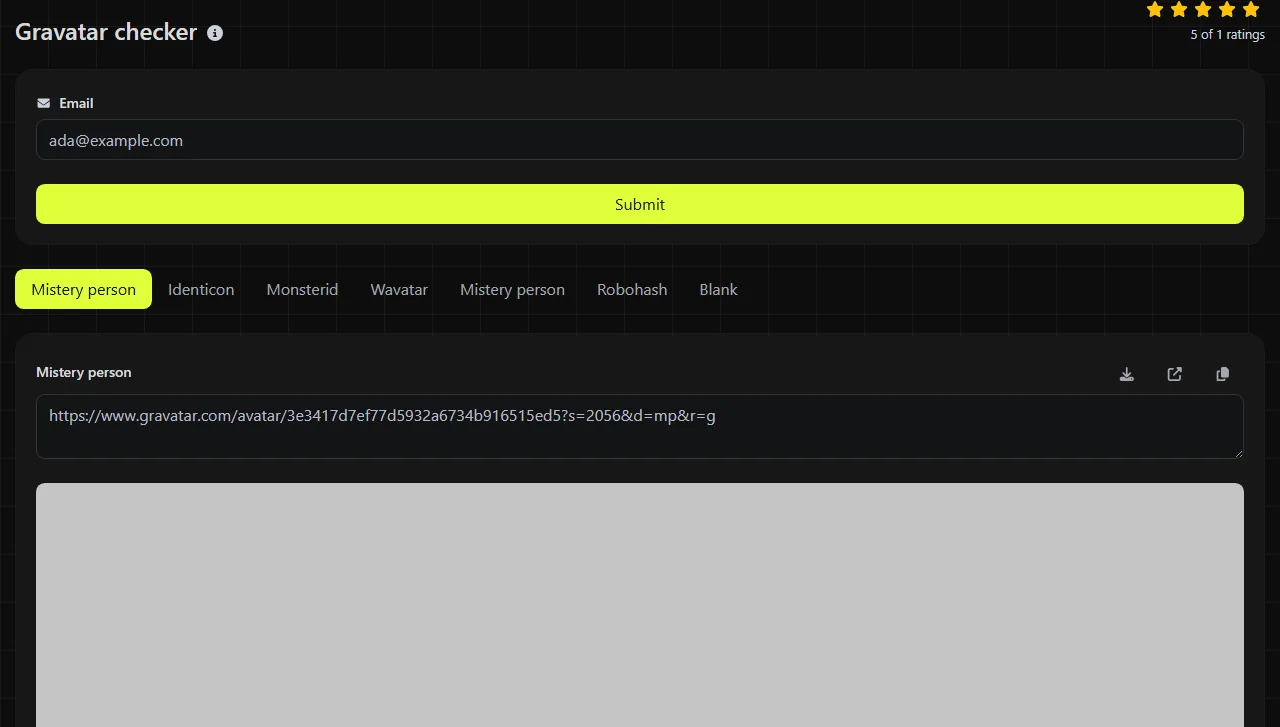
Enter the email address used for the Gravatar profile and run the check. For example, an input such as casey.rivera@example.com produces seven displayed avatar entries. The returned images indicate whether gravatar.com returns a custom avatar and how different fallback styles appear.
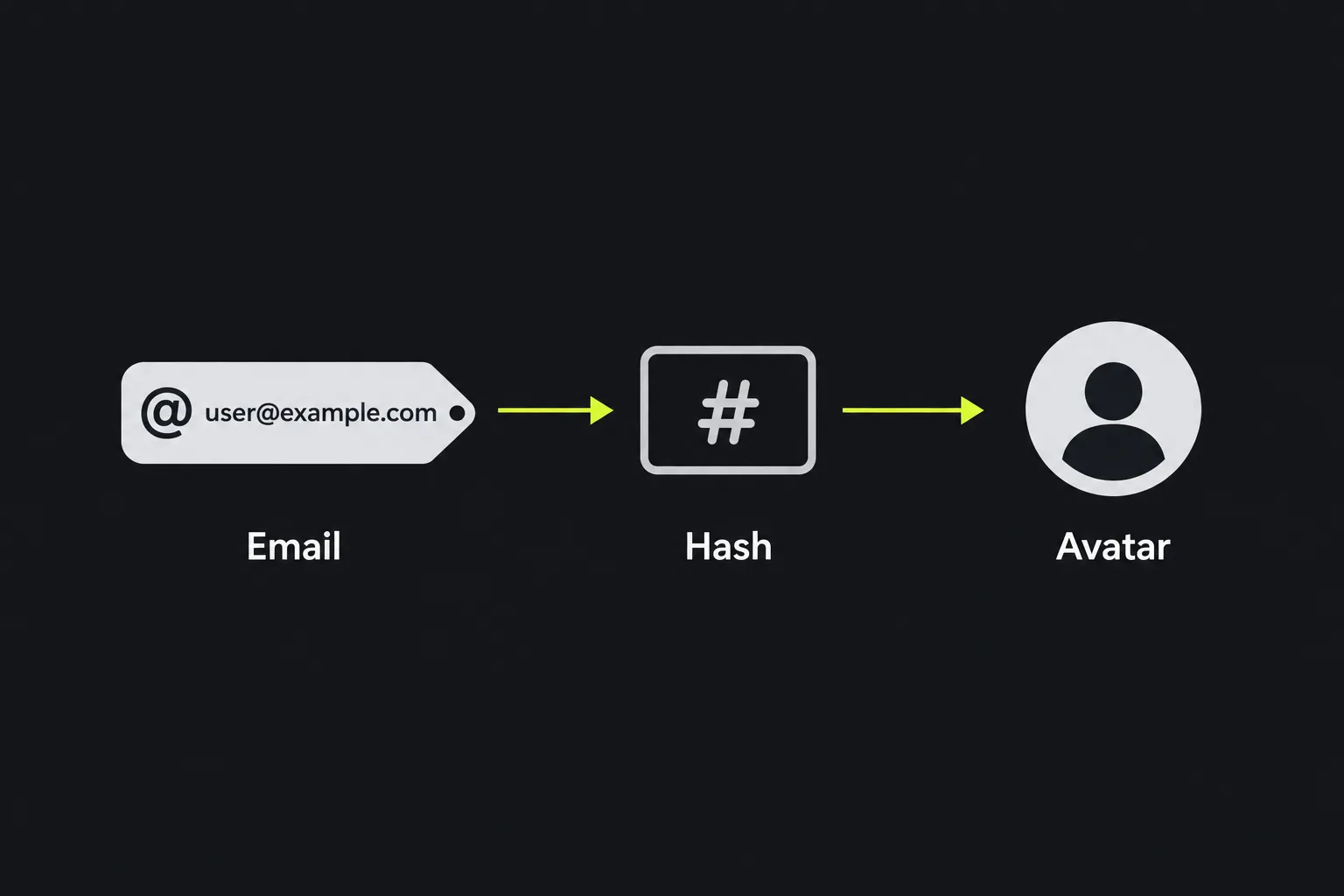
Reading the seven returned entries
The result contains several Gravatar image variants. A registered custom avatar commonly appears in place of each fallback, while an address without a matching image may show the selected generated or blank alternative.
- Mistery person represents the generic person silhouette commonly used when no custom avatar is available. The spelling shown here matches the result label.
- Monsterid is a generated cartoon monster associated with the email identifier. The design is repeatable for the same identifier.
- Identicon is a generated geometric pattern. It provides a visual distinction without implying a real portrait.
- Wavatar is a generated illustrated face based on the identifier.
- The second Mistery person entry has the same visible label in the result. Because the label alone does not identify a separate mode, compare the displayed image rather than assuming that the two entries have different purposes.
- Robohash is a generated robot image tied to the identifier.
- Blank is intended to provide no visible fallback image. Page styling may still reserve space for the image element.
If all generated choices are replaced by the same personal or company image, that usually indicates a custom Gravatar match. If the entries remain as different generated images, the address likely has no custom avatar available under that identifier. The checker cannot confirm who owns the image or email address.
What makes two email inputs point to different Gravatars?
Any difference that remains after Gravatar's standard trimming and lowercase normalization normally produces a different email identifier and can therefore point to a different avatar. Punctuation inside the address is significant even when an email provider treats two variations as the same inbox.
For example, casey.rivera@example.com and caseyrivera@example.com are separate Gravatar inputs. The same applies to casey.rivera+news@example.com. Some mail providers route those addresses to one mailbox, but Gravatar matching depends on the exact address registered with the profile.
- Leading and trailing spaces should be removed before troubleshooting a mismatch.
- Uppercase and lowercase letters are normally normalized for a Gravatar lookup.
- Numbers are valid when they are part of a valid email address.
- Accented or non-Latin characters depend on internationalized email support and consistent encoding across the service performing the lookup.
- An empty value, plain username, or incomplete address cannot identify a meaningful Gravatar account.
- Unusually long addresses may run into email syntax limits before an avatar lookup succeeds.
What can I fix when the displayed avatar is wrong?
Most incorrect results come from checking a different email variation, using an address that is not attached to the intended Gravatar profile, or seeing an older cached image. Check the account details before changing code on the page where the avatar appears.
- Only generated images appear. Confirm that the exact email address is associated with the intended Gravatar account and that a custom image has been selected for it.
- An unexpected personal image appears. Verify which Gravatar account contains that address. If the mailbox changed owners, update or remove the address association through the account that controls it.
- The checker and another website disagree. The other website may cache avatar files, disable Gravatar, apply an image rating limit, or request a different fallback.
- A recently changed image remains old. Recheck after Gravatar has processed the update. A separate website or content delivery network may keep its cached copy longer.
- The blank result looks broken. Blank is a valid fallback choice. Inspect the page's image dimensions and surrounding CSS if it leaves an unwanted gap.

This checker does not edit a Gravatar profile, clear third-party caches, verify account ownership, or force another service to display the returned image. For a broader public-page review, Meta tags checker can help inspect the title, description, and social metadata presented to search and sharing services.
When should I run the check again?
Run the check again after changing a Gravatar image, adding an email address to an account, correcting an address, or investigating inconsistent profile images.
It also makes sense to recheck during an author-profile migration, a company email-domain change, or a website launch that introduces Gravatar-based comments or contributor cards. For routine maintenance, check when account ownership or branding changes rather than on an arbitrary daily schedule.
Server processing and privacy limits
The work is done on the server. Your input travels to the server over HTTPS and is not stored. The checker then retrieves the relevant result from gravatar.com.
This is not a device-only lookup, so do not enter an email address unless you are comfortable sending it to the server for processing. HTTPS protects the connection in transit, but it does not make an email address public or private on its own. The result also cannot tell you every website that has requested or cached that Gravatar.
Questions people ask about Gravatar lookups
Can an email alias have its own Gravatar?
Yes, an alias can have a separate Gravatar because its exact normalized address produces its own identifier. Add the alias to the appropriate Gravatar account if you want it to display the same uploaded image as the primary address.
Can a Gravatar image be blocked by a content security policy?
Yes. A website's Content Security Policy can prevent images from loading if the actual image origin is not allowed by the img-src directive. In that case, the lookup may be valid even though the website displays a broken image or nothing at all.
Does a Gravatar rating affect which image appears?
It can. Gravatar images may have a content rating, and a requesting website can set the highest rating it permits. If the uploaded image exceeds that setting, the website may display its configured fallback instead.
Will WordPress use the same result shown here?
WordPress commonly supports Gravatar, but an individual site can disable avatars, use a plugin, cache images, or select a different default style. Compare the exact account email and allow time for site-level caches to refresh before treating a difference as an account problem.
Popular tools
Create a WhatsApp chat link from a phone number, with an optional prefilled message.