SQL formatter/beautifier
Format & beautify your SQL code with ease.
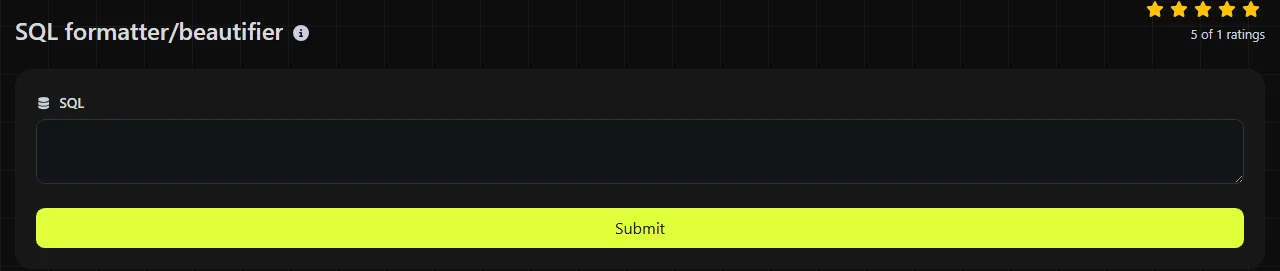
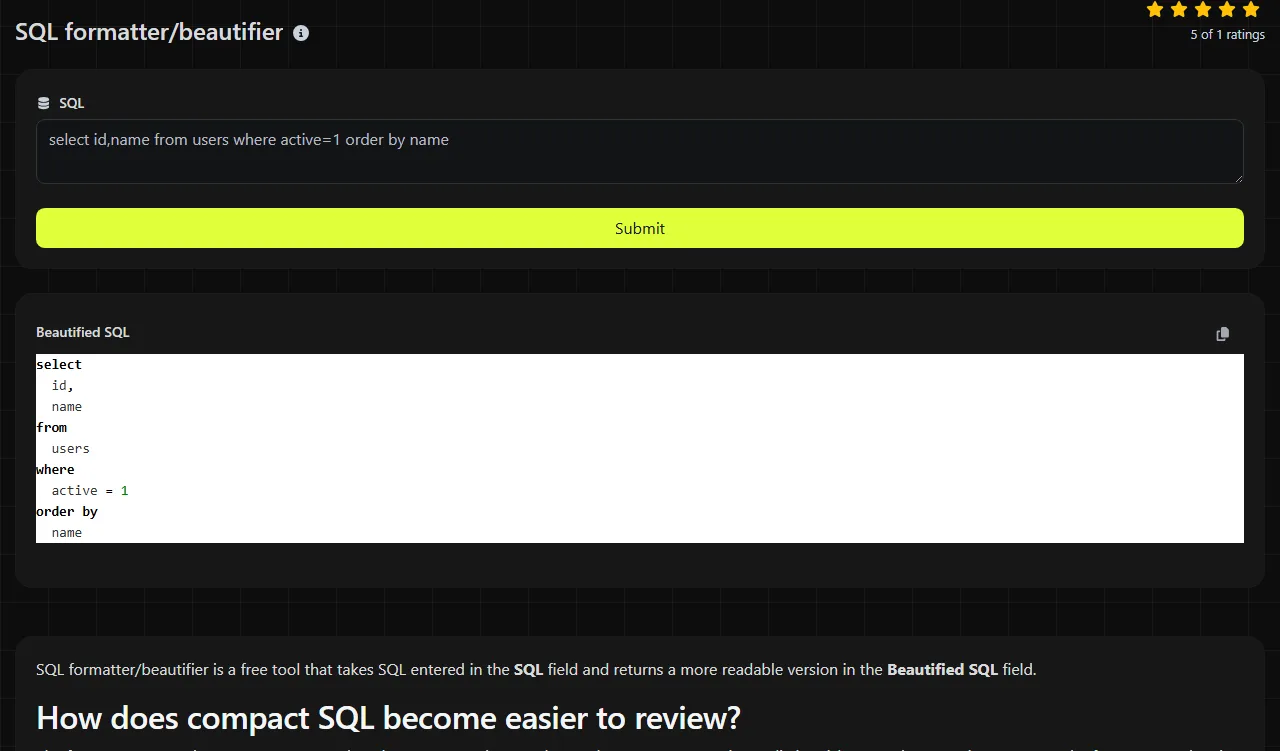
SQL formatter/beautifier is a free tool that takes SQL entered in the SQL field and returns a more readable version in the Beautified SQL field.
How does compact SQL become easier to review?
The formatter reorganizes compact SQL so that clauses, expressions, and nested structures are easier to distinguish. Paste the query into SQL, run the formatter, and review the value returned under Beautified SQL.
SQL formatting addresses presentation rather than query design. It commonly places major clauses such as SELECT, FROM, WHERE, GROUP BY, and ORDER BY on separate lines and applies consistent indentation to nested expressions. This helps during debugging, pull-request review, and pre-deployment checks, especially when a query came from application logs or a third-party reporting system.
Formatting is also useful when inspecting generated SQL from an ORM. A single-line statement may be valid, but joins, filters, and ordering rules are much easier to trace after the structure is visible.
Two compact queries laid out for review
Consider this compact SQL query.
SELECT id,email FROM accounts WHERE status='active' ORDER BY created_at DESC;
An illustrative readable layout is:
- SELECT id, email
- FROM accounts
- WHERE status = 'active'
- ORDER BY created_at DESC;
The query's clauses are now visually separate, so a reviewer can find the selected columns, filter, and sort order without scanning one long line.
A grouped query provides another small example.
SELECT department_id,COUNT(*) AS total FROM tickets GROUP BY department_id HAVING COUNT(*)>10;
An illustrative layout is:
- SELECT department_id, COUNT(*) AS total
- FROM tickets
- GROUP BY department_id
- HAVING COUNT(*) > 10;
Exact capitalization, spacing, and indentation are formatter conventions. The useful part is the structural separation of the projection, source, grouping, and group filter.
Which SQL defects become easier to spot?
Missing commas, unbalanced parentheses, mismatched quotes, and misplaced clauses can become easier to spot once the query is spread across a readable layout. A trailing comma after the last selected column may stand out, as can a WHERE clause accidentally placed after ORDER BY.
Formatting can also draw attention to logic that is syntactically valid but suspicious. Examples include a JOIN without its intended ON condition, an AND attached to the wrong parenthesized group, or a filter applied after a LEFT JOIN that effectively removes unmatched rows.
This tool returns beautified SQL, not a separate validation report. It does not establish that the query is valid for your database, references real tables, uses compatible data types, or produces the intended rows. Run syntax and execution checks with the target database or its query-analysis tools before deployment.
How should awkward SQL input be handled?
Review quoted values, vendor-specific syntax, and generated placeholders carefully because they can contain characters that resemble SQL structure. Spaces and line breaks outside quoted literals generally separate tokens and can be reorganized. Spaces, punctuation, and numbers inside a quoted value are data and should remain part of that value.
- Quoted text such as 'New York, NY' contains a comma that is not a column separator.
- Numeric literals such as 12.50 or -3 remain values even if spacing around an operator changes.
- Accented or non-Latin identifiers depend on the database, encoding, and identifier-quoting rules.
- Template placeholders such as {{ account_id }} or application-specific tokens may not be standard SQL.
- Empty input contains no SQL structure to beautify.
For a very long multi-statement SQL script, review individual statements or logical sections when possible. Smaller units make it easier to compare the returned SQL with the original and to find an unexpected change near a stored procedure, embedded expression, or database-specific operator.
When does reformatting add little value?
Reformatting adds little value when SQL is already consistently formatted or will only be consumed by a machine. Generated migration output, cached statements, and SQL embedded in diagnostic payloads may not need a human-oriented layout unless someone is actively debugging them.
Repeated formatting can also create noisy source-control diffs when team members use tools with different indentation or keyword conventions. In a shared repository, agree on one SQL formatting policy and apply it at a predictable point, such as before commit or in a repository check.
Formatting is not a substitute for EXPLAIN plans, indexes, parameterization, transaction testing, or permission review. It will not make a slow query faster by changing whitespace. It also cannot determine whether a DELETE or UPDATE statement is safe for production data.
Server processing and practical boundaries
The SQL is processed on the server. Your input travels to the server over HTTPS and is not stored. Because the query leaves the browser for processing, remove passwords, access tokens, personal data, and production-only values when they are not required for the formatting task.
The SQL field contains the SQL code, and the returned field is Beautified SQL.
Common questions about SQL formatting
Will placeholders such as ? or $1 still be valid?
Question-mark and numbered placeholders are valid only in the drivers and database interfaces that define them. Formatting does not bind values or confirm that placeholder numbering matches the application's parameter list. Check the final statement through the same driver that will execute it.
Can a formatter handle stored procedures and vendor-specific SQL?
Support can vary because procedural blocks, delimiter commands, and operators differ across PostgreSQL, SQL Server, MySQL, Oracle, and other systems. This tool does not expose a database-dialect selector in its input fields. Inspect procedural SQL carefully and use the database vendor's parser when dialect compatibility matters.
Does a SQL statement need a trailing semicolon?
A semicolon commonly terminates a SQL statement, but some database clients accept a single statement without one. Scripts containing several statements usually need clear terminators. Follow the requirements of the target database, migration framework, or command-line client.
Can beautified SQL be committed directly to source control?
Yes, if the result follows the repository's established style and the query has been reviewed for semantic changes. Compare the formatted version before committing, particularly around quoted identifiers, placeholders, and procedural code. Then run the repository's normal database tests or syntax checks.
Popular tools
Create a WhatsApp chat link from a phone number, with an optional prefilled message.