Date to Unix Timestamp
Convert a date to a Unix timestamp.
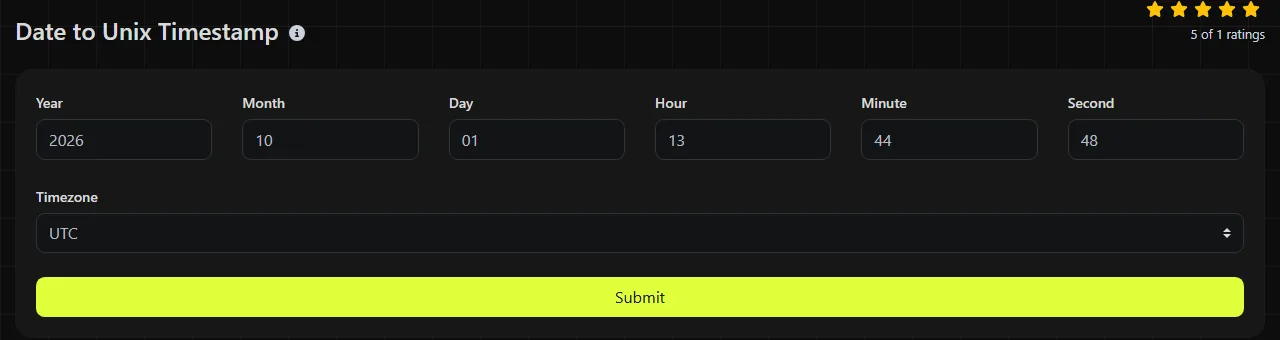
Date to Unix Timestamp is a free tool that returns a Unix timestamp and includes a Timezone field.
Why does timezone matter in date conversion?
A timezone matters because a local date and time identifies an exact instant only after a timezone or UTC offset is applied. Noon in New York and noon in Los Angeles occur at different moments, so they produce different Unix timestamps.
Set Timezone to the zone associated with the date being converted. Use UTC when the source already ends in "Z" or explicitly states UTC. For third-party records, use the timezone documented by the API, database, log source, or business process rather than assuming the timezone of your own computer.
Daylight saving time can complicate local times. When clocks move backward, one local time may occur twice. When clocks move forward, a range of local times may not occur at all. If the source includes a numeric offset such as -04:00, keep that offset with the record whenever possible because it resolves the ambiguity.
What does the returned integer represent?
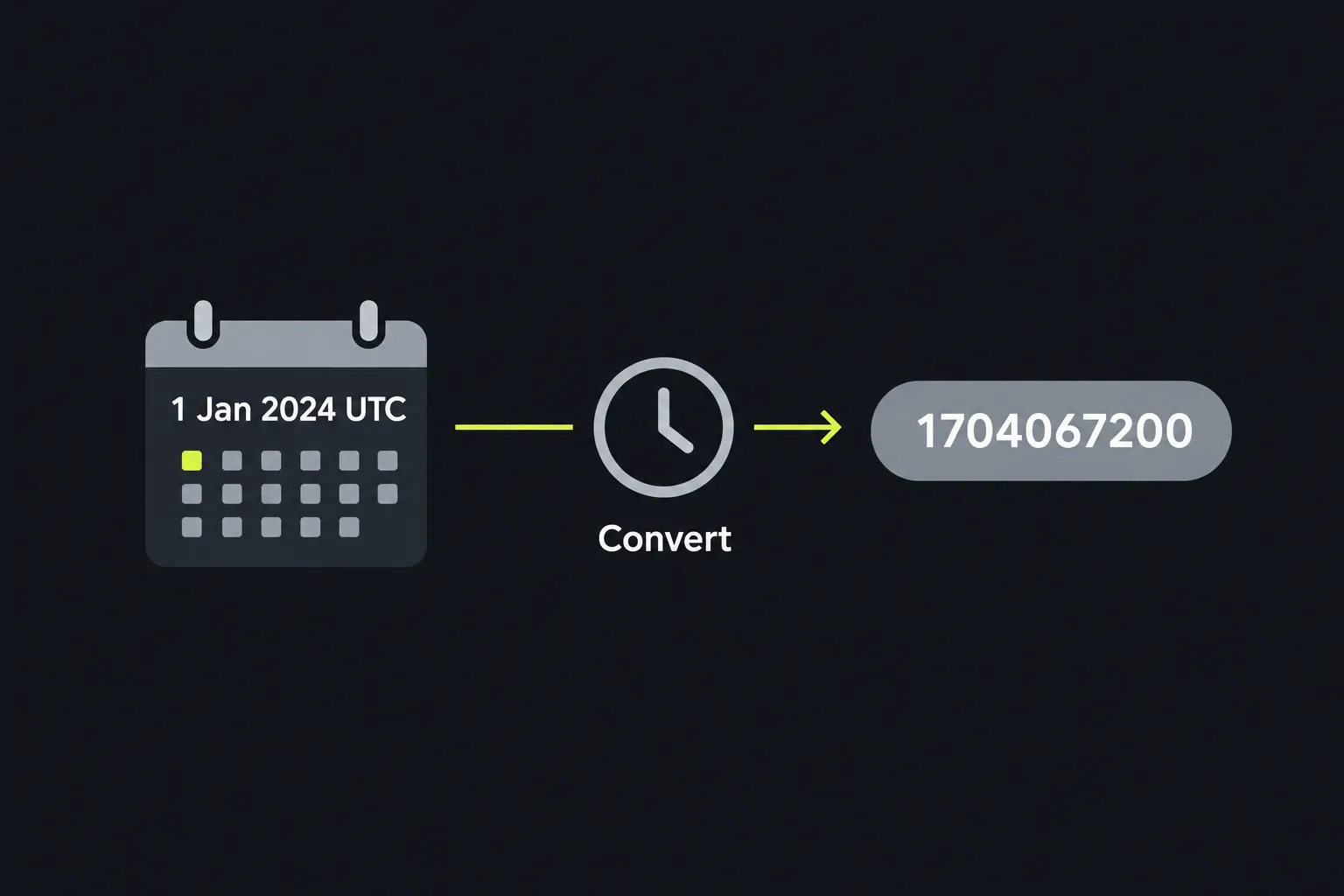
The returned Unix timestamp represents the number of Unix/POSIX seconds since the Unix epoch at 12:00:00 a.m. UTC on January 1, 1970. Leap seconds are not counted. It identifies an instant rather than preserving the date's original display format or timezone label.
A typical result is a 10-digit integer for dates in the early 21st century. Do not infer the unit from length alone. Many APIs use Unix seconds, while JavaScript and some data stores use milliseconds. A millisecond value for the same instant is generally 1,000 times the seconds value.
Formatting the timestamp in another timezone changes the displayed clock time, but it does not change the instant. The reverse operation is available through Unix Timestamp to Date when you need a readable calendar value.
Small conversion examples
These examples use UTC, so no daylight saving adjustment is involved.
- 2024-07-04 12:00:00 UTC corresponds to Unix timestamp 1720094400.
- 2024-11-05 18:30:00 UTC corresponds to Unix timestamp 1730831400.
For a local-time example, 2025-01-01 00:00:00 at UTC-05:00 is the same instant as 2025-01-01 05:00:00 UTC. Its Unix timestamp is 1735707600. The offset is part of the interpretation, even though the returned integer contains no timezone information.
Where does date conversion fit into a development workflow?
Date conversion is useful when a system expects an absolute time value instead of a formatted date. It commonly appears during API debugging, data migration, scheduled-job setup, and pre-deployment checks.
- Convert a billing cutoff from an operations document before adding it to an API request.
- Compare an ISO 8601 date-time from a webhook with a timestamp stored in a database.
- Check whether an authentication token's numeric expiration value matches the expected UTC time.
- Normalize records from vendors that provide dates in named regional timezones.
- Verify a scheduled release time before placing the value in configuration.
The conversion is usually not worth doing when the receiving system already accepts an unambiguous ISO 8601 date-time value such as 2026-09-18T14:30:00Z. It also adds little value when only a machine will read the date and the existing format is already supported. Keep the human-readable source value during debugging because an isolated integer is harder to review.
What causes a converted timestamp to be wrong?
Common causes of wrong timestamps include an incorrect timezone, a unit mismatch, or an ambiguous source date. The integer may be syntactically valid while still representing the wrong instant.
- A date without a timezone is interpreted in a different zone from the one that produced it.
- Seconds are sent to an interface that expects milliseconds, producing a date near January 1970.
- Milliseconds are treated as seconds, potentially producing an out-of-range date or an error.
- A numeric date such as 04/05/2026 is read as April 5 in U.S. month-day-year order when the source intended May 4.
- A daylight saving transition makes the chosen local clock time repeated or nonexistent.
Unix conversion does not apply to arbitrary prose. Spaces, punctuation, accented letters, and non-Latin characters have no defined role in the timestamp itself. Convert a structured date value, and avoid sending an empty value or a bare number unless its unit and meaning are documented.
This tool performs the work on the server and calls PHP's date function as part of its implementation. Input travels to the server over HTTPS and is not stored.
Common questions about date conversion
Can a Unix timestamp be negative?
Yes. A negative Unix timestamp represents an instant before January 1, 1970 UTC. Support for historical dates can vary by platform and runtime, so verify the accepted range in the destination system before relying on a negative value.
Should I multiply the result by 1,000 for JavaScript?
JavaScript's Date constructor commonly expects milliseconds since the Unix epoch, so a timestamp expressed in seconds must be multiplied by 1,000. Check the specific library or API first because some JavaScript packages accept seconds directly.
Does a Unix timestamp retain the original timezone?
No. The timestamp identifies the instant but does not store the timezone name, UTC offset, or daylight saving rule used during conversion. Save that information separately if the original local time has legal, scheduling, or audit significance.
Can I sort timestamps as text?
Numeric sorting is safer. Text sorting can produce unexpected order when values have different lengths or include negative numbers. Store and compare timestamps using an integer type when the database and expected date range permit it.
Is the date sent to a server?
The tool submits only the Timezone value. It travels to the server over HTTPS and is not stored.
Final checks
Before copying the result into code or configuration, confirm the source timezone, verify whether the destination expects seconds or milliseconds, and convert the value back to a readable date as a sanity check. Keep the original date and timezone beside the timestamp when another person may need to audit the conversion later.
Similar tools
Convert a Unix timestamp to a date and time in UTC and your local time zone.
Popular tools
Create a WhatsApp chat link from a phone number, with an optional prefilled message.