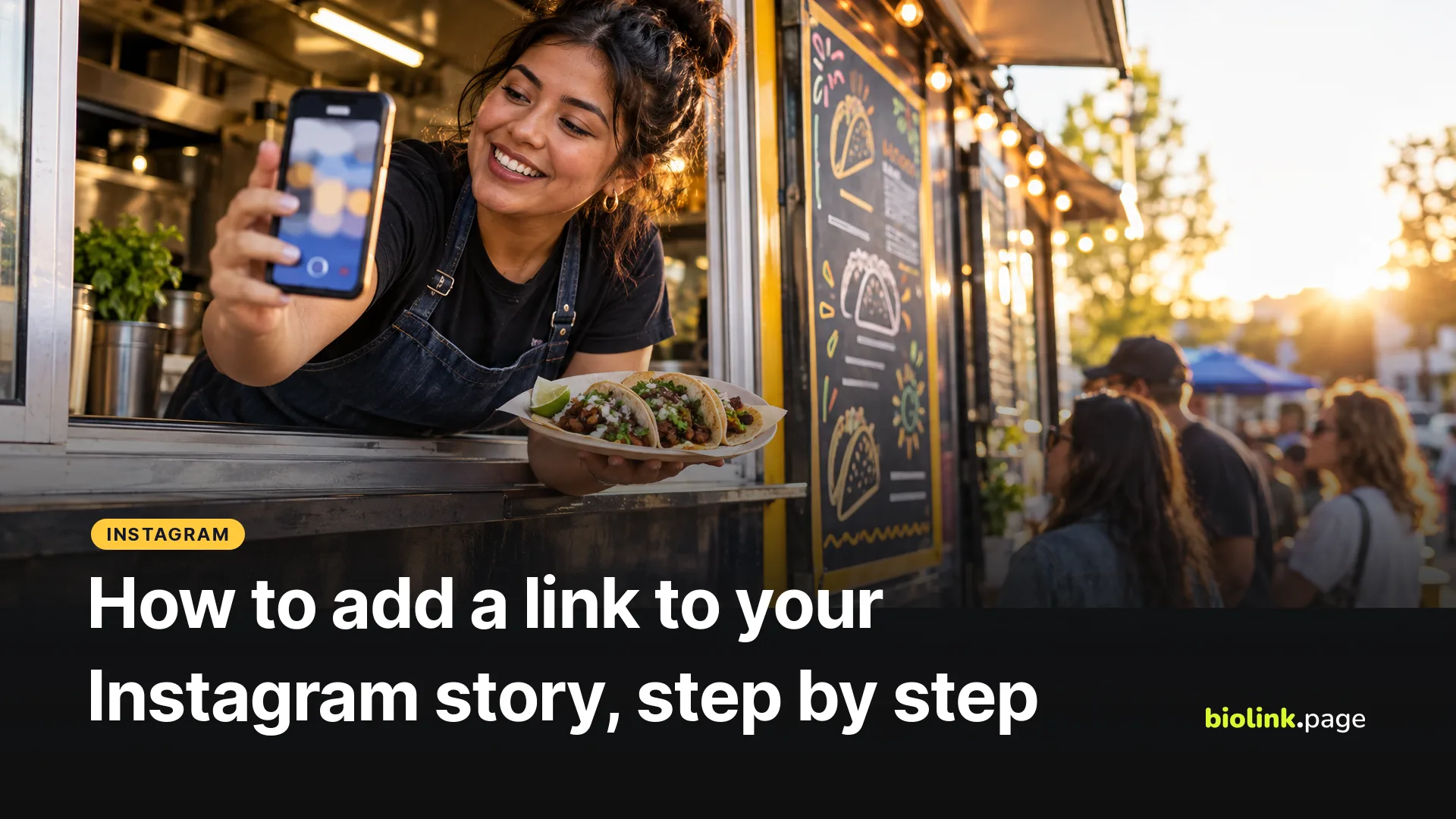
To add a link to your Instagram story, open the story camera, add your photo or video, tap the Stickers icon at the top, choose Link, paste the URL and tap Done. Then drag the sticker where you want it and share. You don't need 10,000 followers anymore. Instagram replaced the old swipe-up link with the link sticker and opened it to accounts of all sizes in October 2021.
We checked the steps against Instagram's Help Center on October 18, 2026. Below are the steps, the reasons the sticker sometimes doesn't show up, and a simple way to see how many people actually tapped through.
How do you add a link to an Instagram story?
- Start a new story from your profile picture or the create button. The way in varies a little between app versions.
- Take or upload the photo or video you want to share.
- Tap the Stickers icon at the top of the screen.
- Choose Link and enter the URL. Instagram's guide mentions a See preview option that shows what people will see when they open it.
- If your app shows a sticker text option, replace the URL with a short call to action such as "Order ahead."
- Tap Done, move the sticker into place, and share the story.
According to Instagram, anyone who can see your story can tap the sticker to visit the link. Who sees the story still depends on your privacy and audience settings, so a story shared to Close Friends only reaches that list. Steps from Instagram Help Center, Using stickers on Instagram.
Why isn't the link sticker showing up?
Start with the fix Instagram itself suggests. Update the app from the App Store or Google Play, because not every sticker is available to everyone and older versions miss newer features. Then close and reopen the app.
Make sure you're creating a regular story rather than an ad. When Instagram rolled the link sticker out to everyone in 2021, it named newly created accounts and accounts that repeatedly break its Community Guidelines as exceptions that might not get access. Instagram hasn't published a waiting period that guarantees access for new accounts.
There is one more case. Link stickers are for regular, organic stories. Story ads can still send people to a website, but through the ad's own call-to-action button, and a creator story that carries an organic link sticker can't be turned into a partnership ad. Details in Instagram Help Center, About link sticker on Instagram Stories.
How can you tell if people tapped your story link?
Instagram's insights on a professional account show how a story performed, including link taps where Instagram reports them. That covers activity inside Instagram. If you also want to know what people did on your website, and compare one story with the next, use a short link with UTM tags in the sticker.
On BioLink.page this takes a minute. Create a short link to the page you are promoting, open its settings, and fill in the UTM Parameters section. For a food truck posting tonight's location, that might be instagram as the source, social as the medium and fall_menu_story as the campaign.
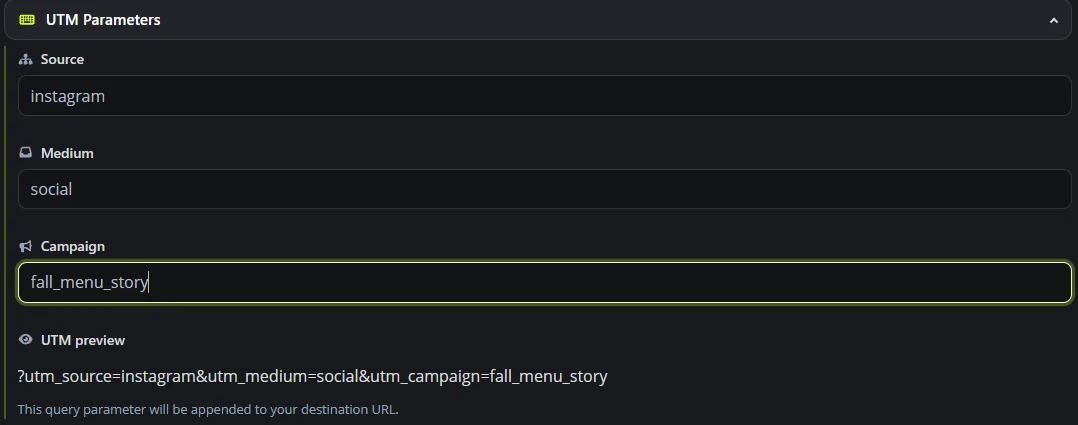
BioLink.page then counts the clicks on that short link. If your website runs Google Analytics 4, go to Reports, then Acquisition, then Traffic acquisition, and switch the table's main dimension to Session campaign to find fall_menu_story, or to Session source / medium to see instagram / social. GA4 normally groups instagram with the social medium under Organic Social. Short link clicks and GA4 sessions measure different things, so the totals won't necessarily match. A click may not become a tracked session if the page fails to load or analytics is blocked. Tap the short link once yourself and check that the tags arrive on the destination URL. UTM tags and app linking are both on the free plan, which keeps 30 days of click history.
Story link or link in bio, which one should you use?
| Story link sticker | Links in your profile | |
|---|---|---|
| How long it lasts | Usually 24 hours, longer if you add the story to a Highlight | Until you change it |
| How many links | One sticker per story frame keeps it clear | Up to five websites, according to Instagram |
| Best for | Today's special, a new video, an event this week | Your shop, booking page, menu and contact details |
You can use both. Put time-sensitive things in stories, and keep the evergreen links in your profile. If five profile links aren't enough, or you want them on one branded page with your own photos and buttons, a link in bio page holds everything under one address.
Tips for story links that get tapped
- Tell people what they'll get. A sticker that says "Order ahead" or "See tonight's spot" makes the destination clearer than a bare URL, so customize the sticker text when your app version offers it.
- Keep the sticker out of the top and bottom edges, where your username and the reply bar sit.
- Link the exact page, not your homepage. If the story is about one product, link that product.
- Check the page on your phone. Story taps usually open in Instagram's built-in browser, and a slow or cramped page can make people leave.
- If the link goes to YouTube or Spotify, test it from Instagram first. App linking on a short link can open those apps on many phones, but in-app browsers behave differently, so a quick test shows you what followers will see.
Frequently asked questions
Do you need 10,000 followers to add a link to an Instagram story?
No. Instagram opened link stickers to accounts of all sizes in October 2021. Very new accounts and accounts with repeated guideline violations may be restricted.
Can you add links to more than one story?
Yes. Each story frame is its own post, so you can add a link sticker to several frames. One clear action per frame works best.
Can you see who tapped your story link?
Instagram's insights and BioLink.page's statistics show totals, such as the number of taps or clicks, not a list of the people who tapped.
Can you put a clickable link in an Instagram post caption?
For most accounts, a URL in a regular post caption isn't clickable, which is why people say "link in bio." In September 2026 Meta announced Meta One, whose advanced paid plans include links in organic posts and Reels, with availability varying by account and region. For a free option that works everywhere, use your profile links or a story sticker.
Why does my story link open inside Instagram?
Instagram often opens links in its built-in browser. Depending on the phone and app version, visitors can usually switch to Safari, Chrome or another browser from that browser's menu.
Ready to give your profile link somewhere better to go? Sign up for a free BioLink.page account, or see how other sellers set theirs up in our guide to link in bio for Etsy and Shopify sellers.