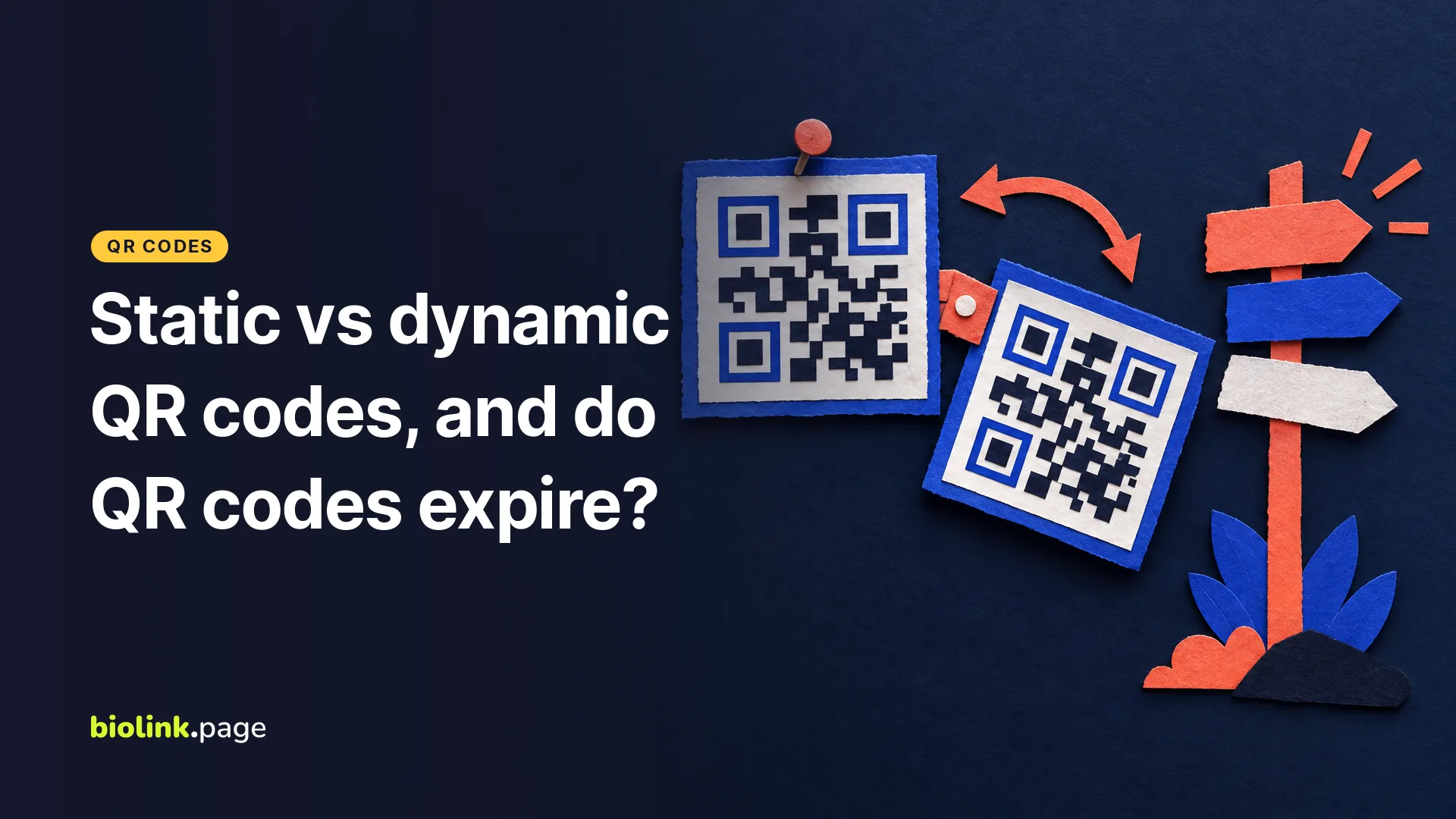
A static QR code stores its content, such as a URL or contact card, directly in the pattern, so it never expires on its own but can't be changed after printing. A dynamic QR code usually stores a redirect link, often a short link, so you can change where it goes later and count visits. The catch is that a dynamic code only works as long as that short link stays active with the service that runs it.
So do QR codes expire? The code itself doesn't. What can stop working is the destination, or the short link service behind a dynamic code. Below is how to choose, and how to avoid the "free" QR codes that stop working until you pay. BioLink.page details are from our own settings on October 18, 2026.
Static vs dynamic QR codes at a glance
| Static QR code | Dynamic QR code | |
|---|---|---|
| What's inside the code | The URL, text or contact details | A short link that redirects |
| Change the destination after printing | Not the encoded URL, though you can redirect a URL you control | Yes |
| Count visits | No built-in tracking, but a dedicated landing page or UTM tags can be measured in web analytics | Yes, through the redirect link |
| Works if the generator shuts down | Yes, as long as the destination works | No, it depends on the short link service |
| Works without internet | Yes for stored data such as text, Wi-Fi or contact details, websites still need internet | No, the redirect needs internet |
| Best for | Wi-Fi details, a vCard, a URL that will never change | Menus, flyers, packaging, signs, anything you might update |
Do QR codes expire?
A QR code has no built-in expiration date. A static code with a URL inside will keep pointing to that URL for as long as the printed copy can be read, although damage, smudging, low contrast or a missing margin can make a printed code unreadable. If the page at that URL is deleted, the code leads to an error, but that's the website's problem, not the code's.
Dynamic codes are different. Scanning one opens a short link first, and that short link sends the visitor on. If the service that hosts the short link turns it off, the code stops working. That's why some dynamic QR codes appear to expire. Some generators make dynamic codes on a free trial and send scans to a service page once the trial ends, while their static codes keep working. Before you print, read the generator's terms on what happens to your codes if you stop paying.
How to make a dynamic QR code on BioLink.page
- Open QR Codes and create a new code with the URL type.
- Enter the URL you want people to reach.
- Check Dynamic QR code. BioLink.page creates an internal short link for the code. You can also choose Select from existing links to use one of your short links instead.
- Style the code if you like, then download it.
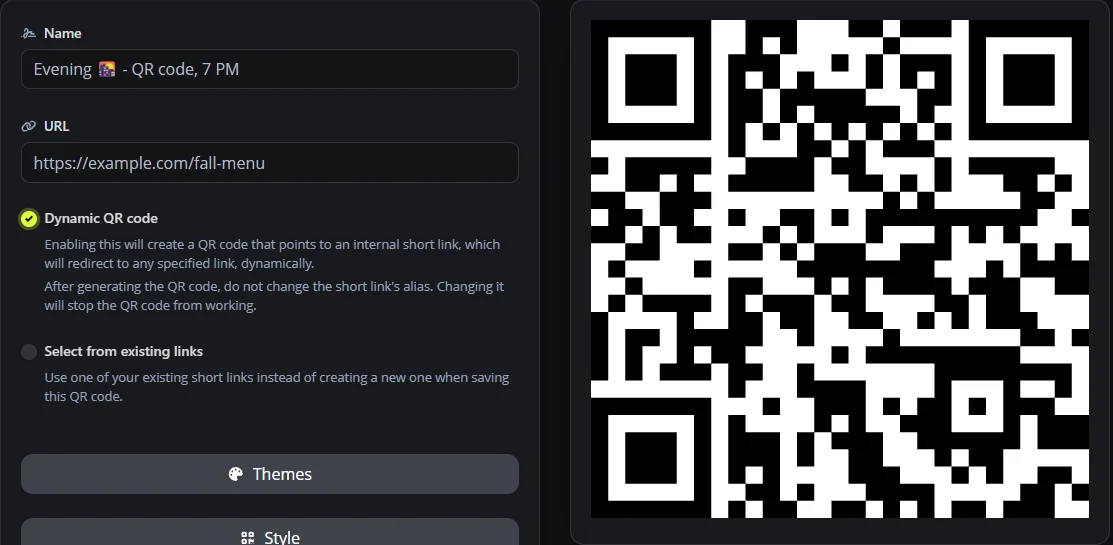
Before you print, make sure the short link's alias will stay unchanged. The on-screen note says not to change it after you print the code, because changing it stops the QR code from working. Change the destination as often as you like, but leave the alias alone.
QR codes are on the free plan, which includes 10 codes, 100 short links and 30 days of statistics. The 30 days is how long click history is kept, not how long the link works. There is no automatic expiry date on your links, but a dynamic code still depends on its short link and the destination page staying available. Static types available include URL, Wi-Fi, vCard, email, SMS, phone, location and event.
When should you use a static QR code?
- Wi-Fi details for guests, which shouldn't depend on any outside service.
- A vCard on a business card, so contacts can save your number offline.
- A URL that you're confident will never change, such as your homepage.
For everything else that gets printed in quantity, like menus, packaging, flyers and signs, a dynamic code saves you from reprinting when a page moves or a promotion ends. This is especially useful for restaurant menus, and our guide to QR code menus for restaurants and food trucks covers that case.
Are QR codes safe to scan?
A QR code can lead anywhere, including a fake login page, and people can't read a code with their eyes before scanning. A few habits help your customers trust yours. Print your brand name or logo next to the code, say what it opens ("Scan for today's menu"), and if you place codes in public, check now and then that nobody has stuck a different code over yours. As a scanner, look at the address your phone shows before you open it, and don't enter passwords or payment details on a page you reached from a stranger's code. A familiar logo or a short link isn't proof that a code is safe. The FTC warns about scammers using QR codes, including stickers placed over legitimate codes.
Frequently asked questions
Do free QR codes expire?
Static codes don't. Dynamic codes keep working as long as the redirect link behind them and the destination page are active. On BioLink.page, links have no automatic expiry date.
Can I change a QR code after printing?
Only a dynamic one. Update its destination from your account and the printed code follows. A static code would need reprinting.
Can I track how many people scanned my QR code?
A dynamic code counts visits through its redirect link. A static code has no built-in tracking, but if it points to a dedicated page or a URL with UTM tags, your web analytics can measure the visits. Neither method counts a scan that never opens the link.
Is a dynamic QR code bigger or harder to scan?
A shorter URL can produce a less dense pattern, which is easier to print small, although the characters used and the error correction setting matter too. Always test at the size you'll print.
What happens if I delete the short link behind a dynamic QR code?
The code stops working. If you want to keep using the printed code, edit the existing link's destination instead of deleting the link.
Can I turn a static QR code into a dynamic one?
Not the printed code itself. If the static code points to a URL you control, you can redirect that URL elsewhere, which gives you some of the same flexibility.
Want a QR code you can update later? Sign up for a free BioLink.page account and make your first dynamic code.