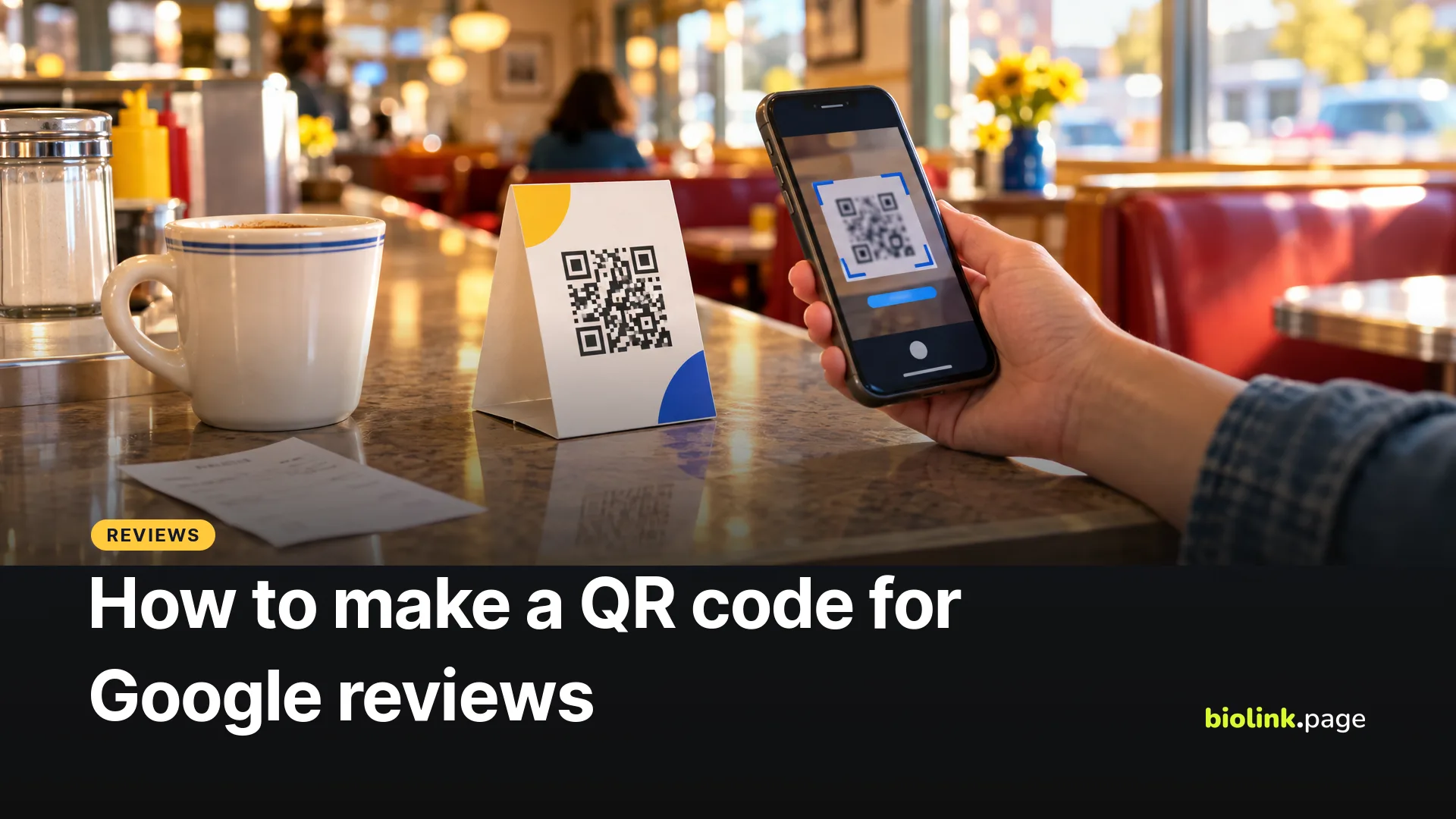
To make a QR code for Google reviews, open your Google Business Profile on a computer, choose Read reviews, then Get more reviews, and download the QR code Google gives you, or copy the review link. Google currently generates the review QR code only in a computer browser, not on mobile. Put the code on receipts, table tents and your counter, and customers can scan it to leave a review.
That's Google's own, free method, and for many businesses it's enough. Below is how to do it, when it's worth wrapping the review link in a short link of your own, and the review rules that can get a business in trouble. We checked Google's Business Profile Help on October 18, 2026.
How to get your Google review link and QR code
- On a computer, go to your Business Profile. Google says review QR codes can't be generated on mobile devices right now.
- Select Read reviews, then Get more reviews.
- To copy the review link, select Copy.
- To download the QR code, right-click it and choose Save image as.
Google suggests sharing the link or code on receipts, in thank-you emails, at the end of a chat and on a printed sign in your store. Steps from Google Business Profile Help, Create a Google link or QR code to request reviews.
Google's review rules you need to know
Google's policies prohibit several review practices. Its help pages say reviews must reflect a genuine experience, and offering incentives, like free or discounted products or services, in exchange for posting, changing or removing reviews is prohibited as fake engagement, whatever the rating. A "free dessert for a five-star review" card breaks that rule. Google also prohibits review gating, which means screening customers for positive feedback before sending only the happy ones to your review link. Displaying a review QR code in your store is fine, but don't pressure customers to review on the spot or tell them what to write. The simplest habit is to ask every customer the same way. Details in Google Business Profile Help, Tips to get more reviews and Google Maps user contributed content policy. In the US, the FTC's rule on consumer reviews and testimonials also bans fake reviews and incentives tied to a particular rating or sentiment.
Why put your review link behind a short link?
Google's QR code works, so here's when a short link helps.
- You can count visits. A short link records how often it's opened. Use one link per placement, such as biolink.love/review-receipt and biolink.love/review-table, both pointing to the same Google review URL, and you can compare them. Visits aren't the same as finished reviews, and some opens can come from automated checks.
- You can change it later. If your Google review URL ever changes, update the short link's destination, and you won't need to reprint codes that point to that short link. Test the link after any change.
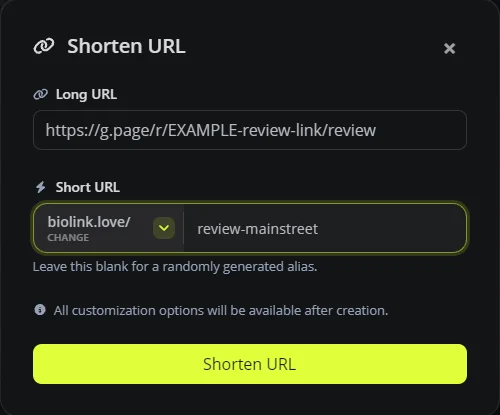
- It's readable. A link like biolink.love/review-mainstreet is easy to type from a receipt or say over the phone, unlike Google's long review URL.
On BioLink.page, paste your Google review link into a new short link and give it a clear name.
Then create a QR code for it. Choose the URL type and pick your new short link with Select from existing links. If you haven't made a short link, you can instead paste the Google review URL into a new code and check Dynamic QR code, which creates the short link for you. The free plan lets you create up to 100 short links in total and 10 QR codes, with statistics kept for 30 days, and editing a short link's destination doesn't need a paid plan.
Where to put a Google review QR code
- On receipts and invoices, where the visit is fresh.
- On table tents or the counter, with a short line like "Tell us how we did."
- In a thank-you email or text after a service call, as a link rather than a code.
- On your link in bio page, as one button among your menu, hours and booking link.
A code people scan with a phone needs room to breathe. Leave a clear margin around it, don't print it tiny, and test the printed version on an iPhone and an Android phone before ordering a stack. Restaurants can place a separate review QR code next to their menu QR code, or add a review link to their digital menu page, and our guide to QR code menus for restaurants and food trucks shows how.
Frequently asked questions
Is a Google review QR code free?
Yes. Google provides the link and QR code free from your Business Profile. A short link and QR code on BioLink.page's free plan are free too.
Why can't I find the review QR code on my phone?
Google says review QR codes can currently be generated only in a computer browser, not on mobile devices.
Can I offer a discount for a Google review?
No. Google prohibits offering incentives in exchange for reviews, including discounts and freebies.
Can I see how many people scanned my review QR code?
Not with Google's code alone. If the code points to a short link, the short link's statistics count visits, though not finished reviews.
Do customers need a Google account to leave a review?
Yes. Google says customers need to sign in to a Google Account to leave a review. It doesn't have to be a Gmail address.
Does the review link change if I update my Business Profile?
Google doesn't promise either way. After a major change, copy the link again from Get more reviews, update your short link's destination if it differs, and test your printed codes.
Want review links you can track? Sign up for a free BioLink.page account.